
How Designers built a working Figma Plugin in 48 Hours with Cursor, GitHub, Claude and Lovable
What I learned from Christoph Hellmuth, Raquel Pereira and Casandra Sandu at the AI Conference for Designers 2026


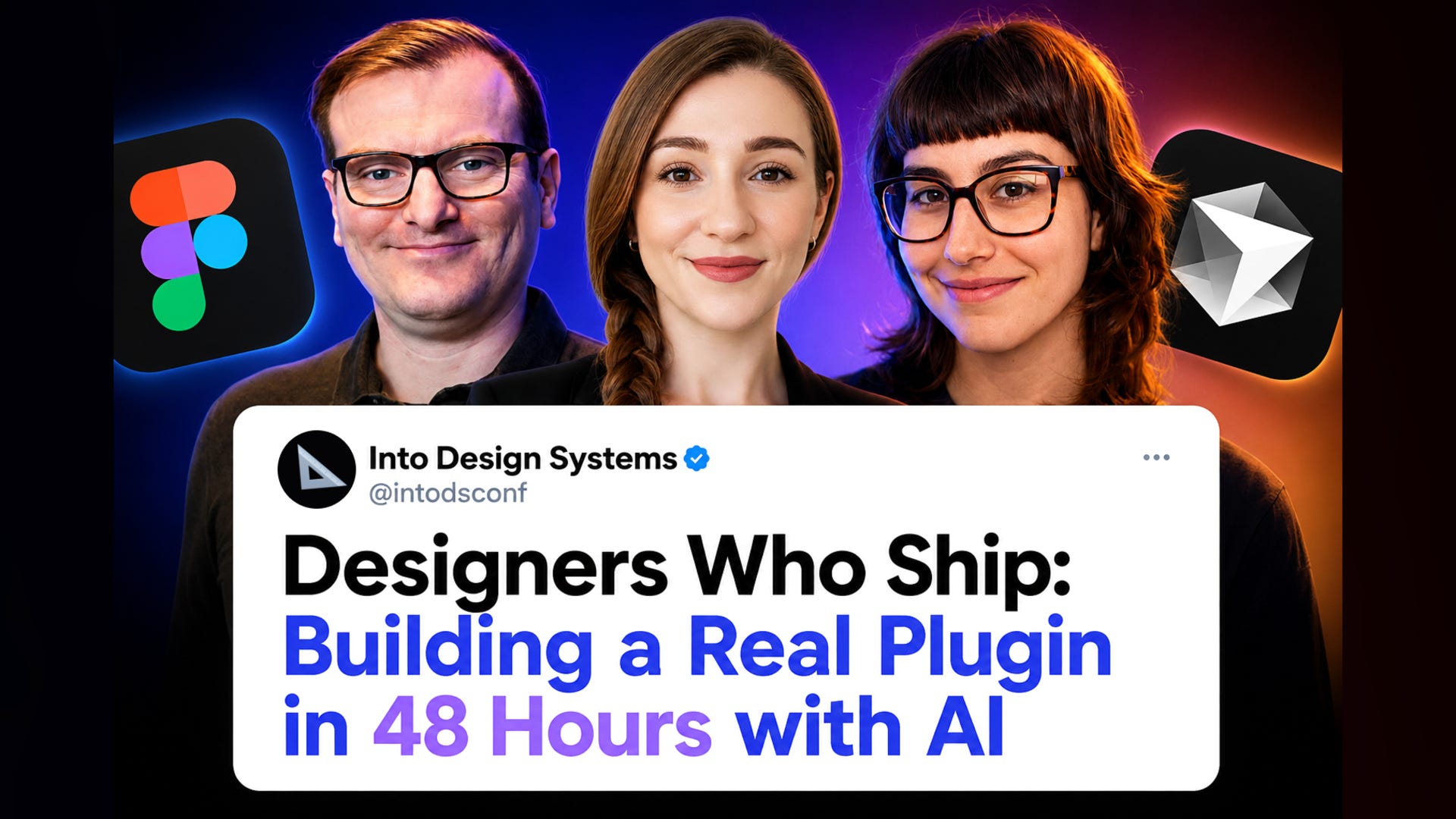
Christoph Hellmuth (NordVPN), Raquel Pereira (Nokia) and Casandra Sandu (Trackunit) joined the AI Conference for Designers 2026 to walk through how their team of 10 designers built a working Figma plugin in 48 hours during the Into Design Systems Hackathon and won first place out of 150 participants.
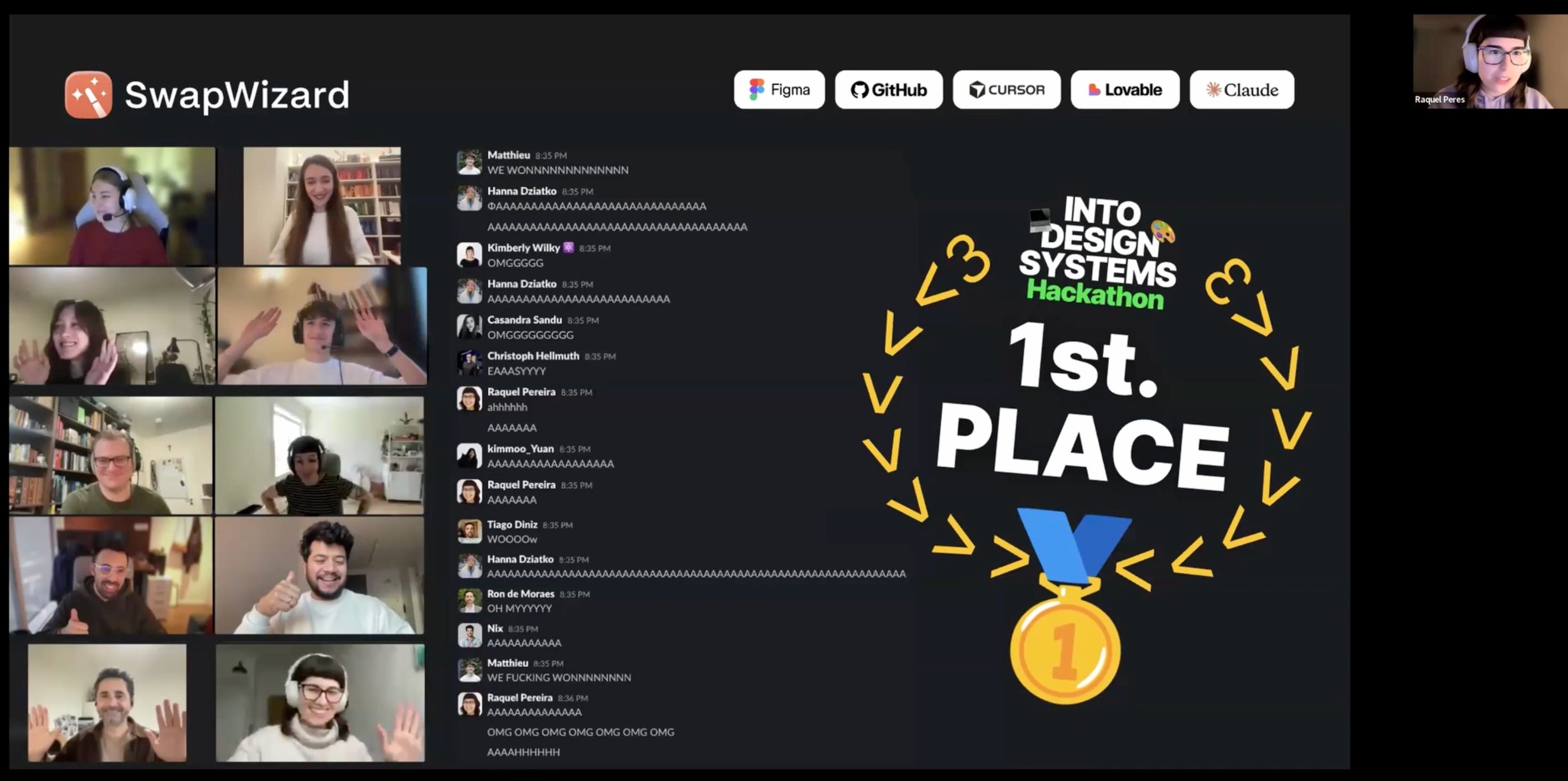
None of them had built a Figma plugin before. None of them knew each other before the weekend. They came from different timezones, different companies and different design backgrounds. They built Swap Wizard, a plugin that fixes a real pain point: swapping Figma libraries when component names do not match exactly.
These are my notes from their session.
The pain point Swap Wizard fixes
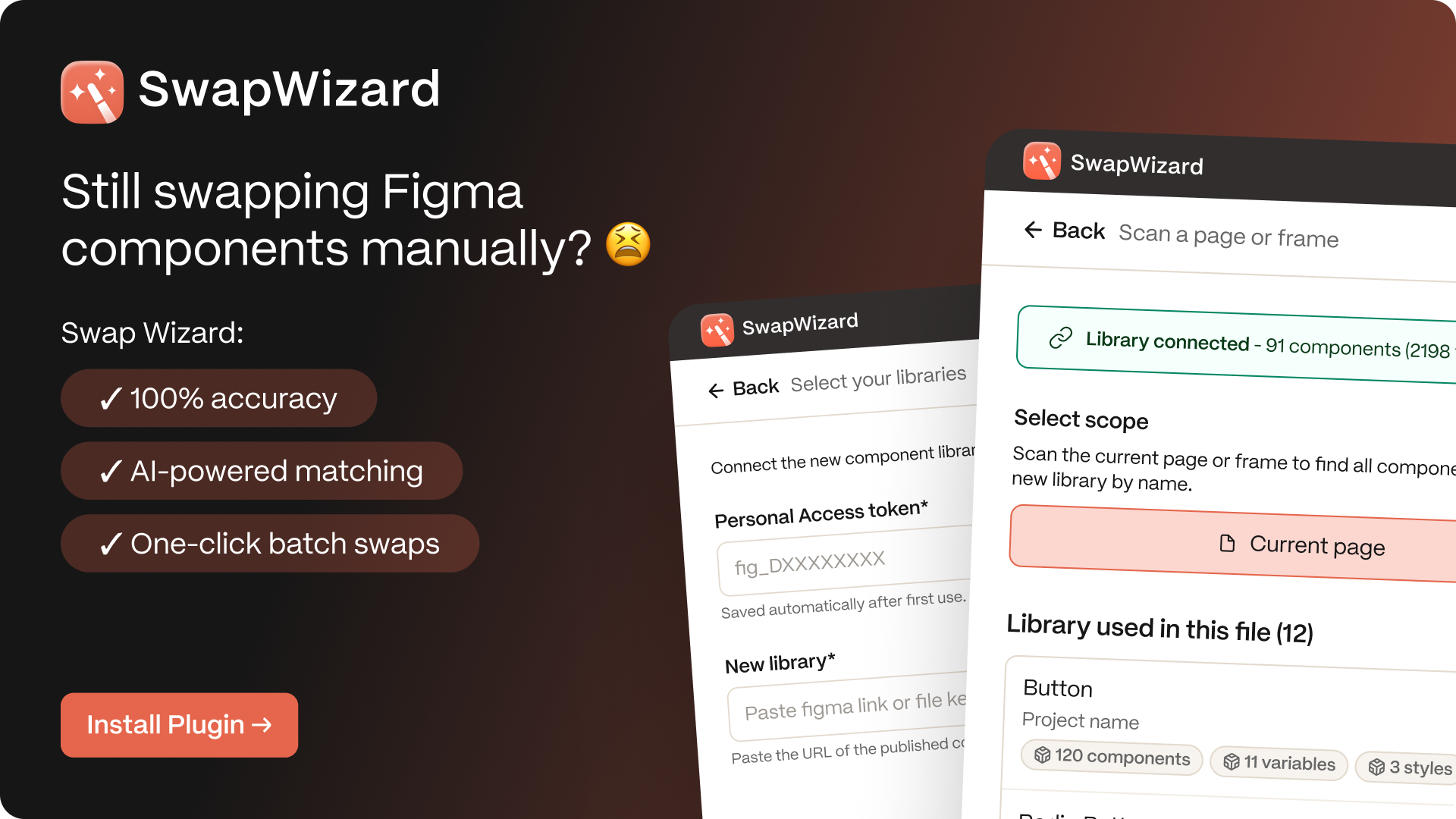
In Figma, you can only swap libraries cleanly when component names match perfectly. The moment names diverge, or components are detached, you are stuck swapping things by hand, one at a time. Anyone who has migrated a design system knows the feeling.
Swap Wizard scans your page or selection, fetches a new library via the Figma REST API, runs an AI matching pass, suggests swaps and lets you review before changing anything. It can also reattach detached components by reading hidden metadata in the Figma API that remembers the original component each detached frame came from.
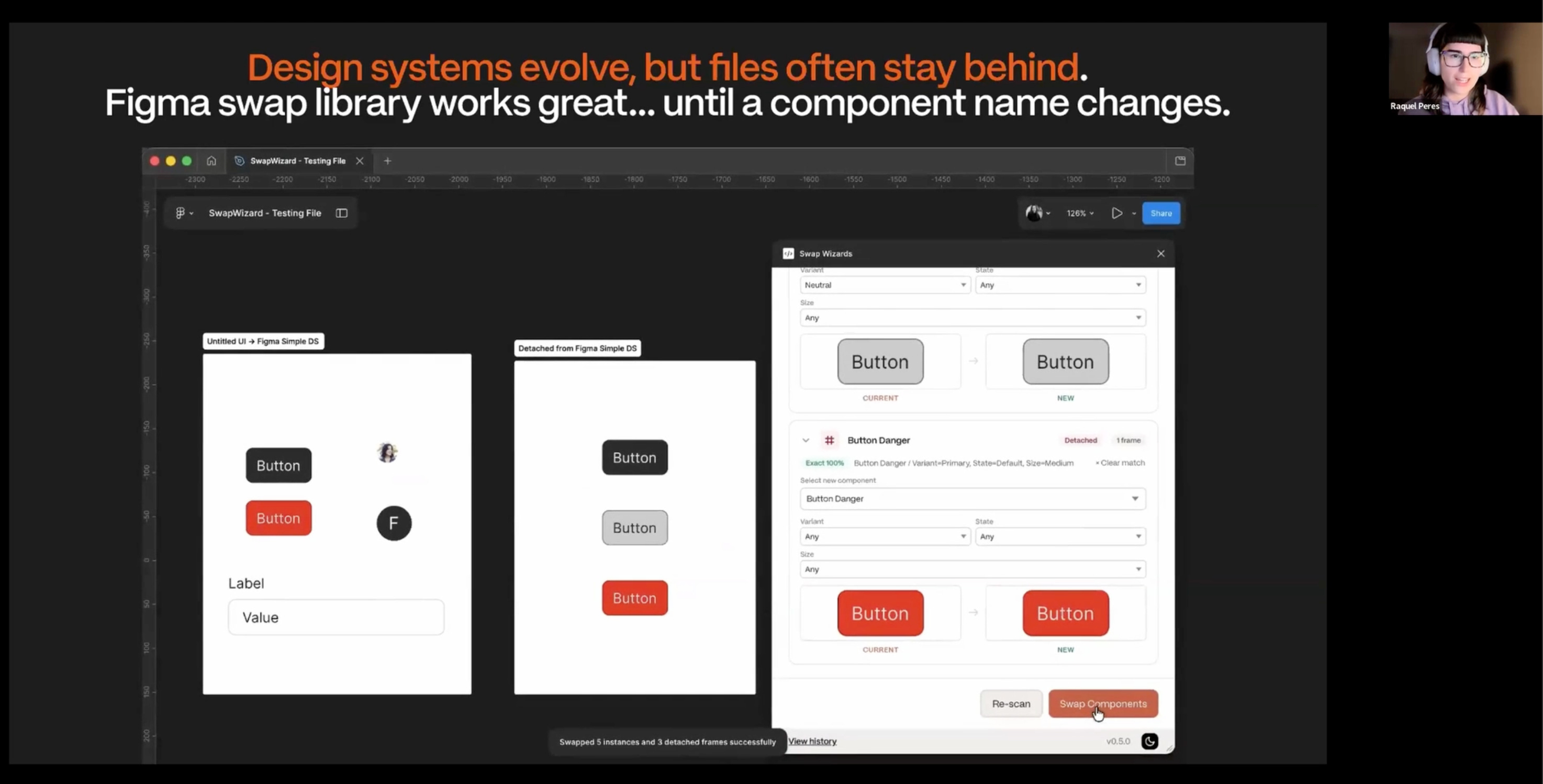
Raquel said the detached-component support was an accidental discovery. The team only stumbled into it on Friday afternoon while reading through the Figma API documentation. They saw detachedInfo on the node properties, and that was the moment the scope of the plugin doubled.
"That's the magic of actually reading the documentation and researching some things yourselves. We wouldn't even have known to prompt Cursor to do it, because in our heads it was not possible."
They spent the first few hours not writing any code
This is the part of the talk I want every aspiring vibe coder to hear first.
With AI available and the deadline ticking, the temptation is to open Cursor and start prompting immediately. The team did the opposite. They spent the first few hours of a 48-hour window defining scope, listing every feature they could imagine and sorting them into three buckets:
Must have: ship-blockers
Nice to have: if there is time
Out of scope: explicitly not this weekend
Then they did technical research before writing a single prompt. They read the Figma plugin docs to understand the sequence the plugin would need (scan, fetch, match, review, snapshot, swap, audit) and to find the constraints they could not engineer around.
Their key discovery during research: the plugin could not browse external libraries from inside the plugin UI. If they had not caught this early, they would have spent hours prompting AI to build something the Figma API does not support. Two workarounds came out of that constraint. Either have the user pick a sample component from the new library, or have the user paste a library URL and a personal access token. Both shipped in the final plugin.
Raquel's framing: the first prompt you write should not be code. It should be a scope decision.
Why prompt quality is a budget issue (not just a quality issue)
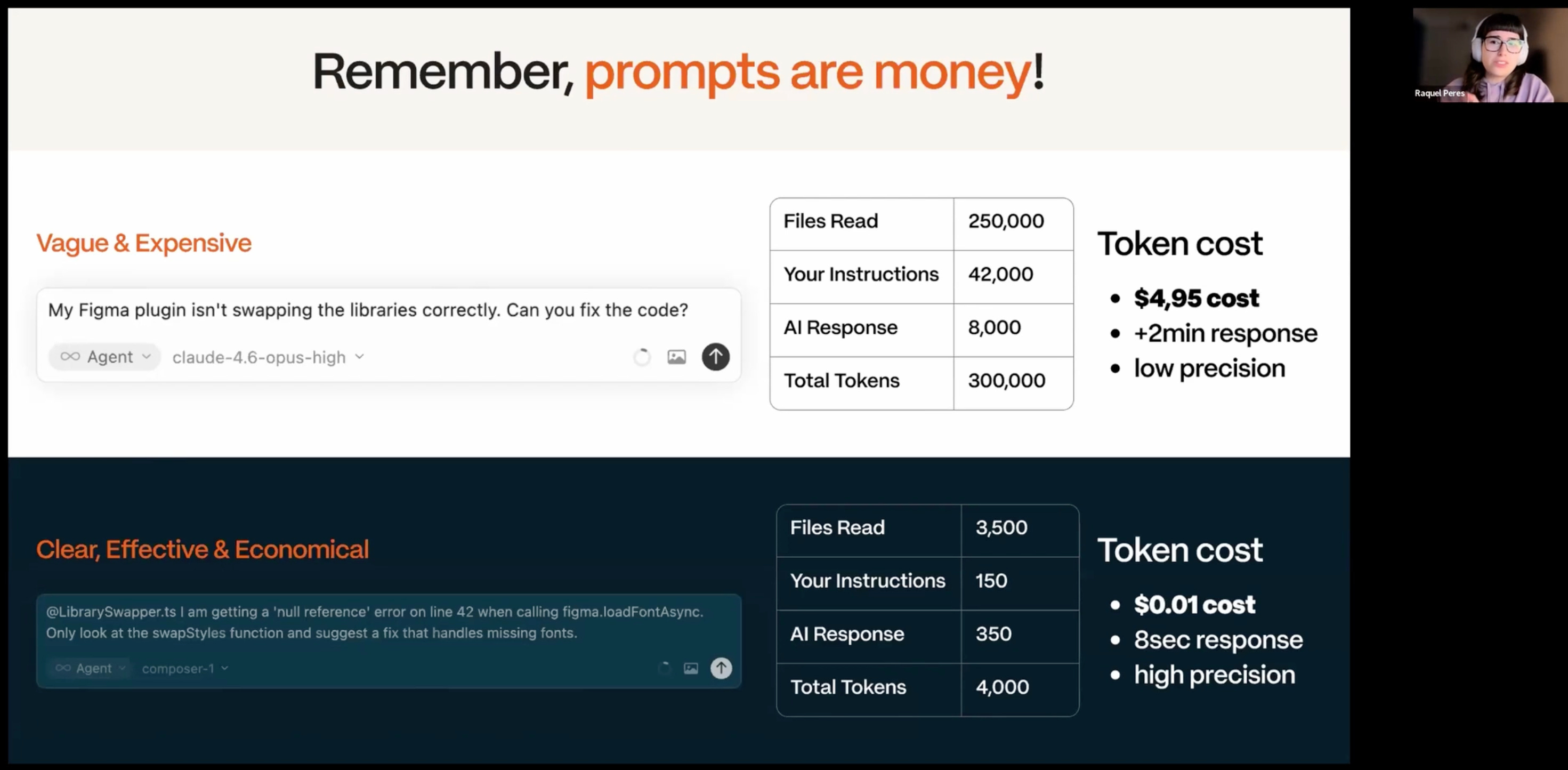
The team showed two prompts side by side. One vague, one precise.
The vague prompt forced the AI to read more files, reason for longer and produce a longer response. It cost $9 over two minutes with low precision. The precise prompt with the right model cost almost nothing, responded in seconds and was more accurate.
The math: the first prompt was 500 times more expensive than the second.
For designers new to vibe coding, this is the part that does not land until you watch a credit balance drop. Tokens are real money. Vague prompts burn through them. The framework Raquel offered:
Clarity: be specific about what you want
Context: include your tech stack, goals and constraints
Constraints: tell it what to avoid
If your prompt is missing any of these, AI will guess for you. That guessing is what costs the money.
She also recommended a meta-prompt move: if you are not confident in your prompting, use one AI to write the prompt for another AI. The structured output from the first becomes the input for the second. You learn how to prompt by reading what a better prompter (the AI itself) produces.
The four Cursor modes and when to use each
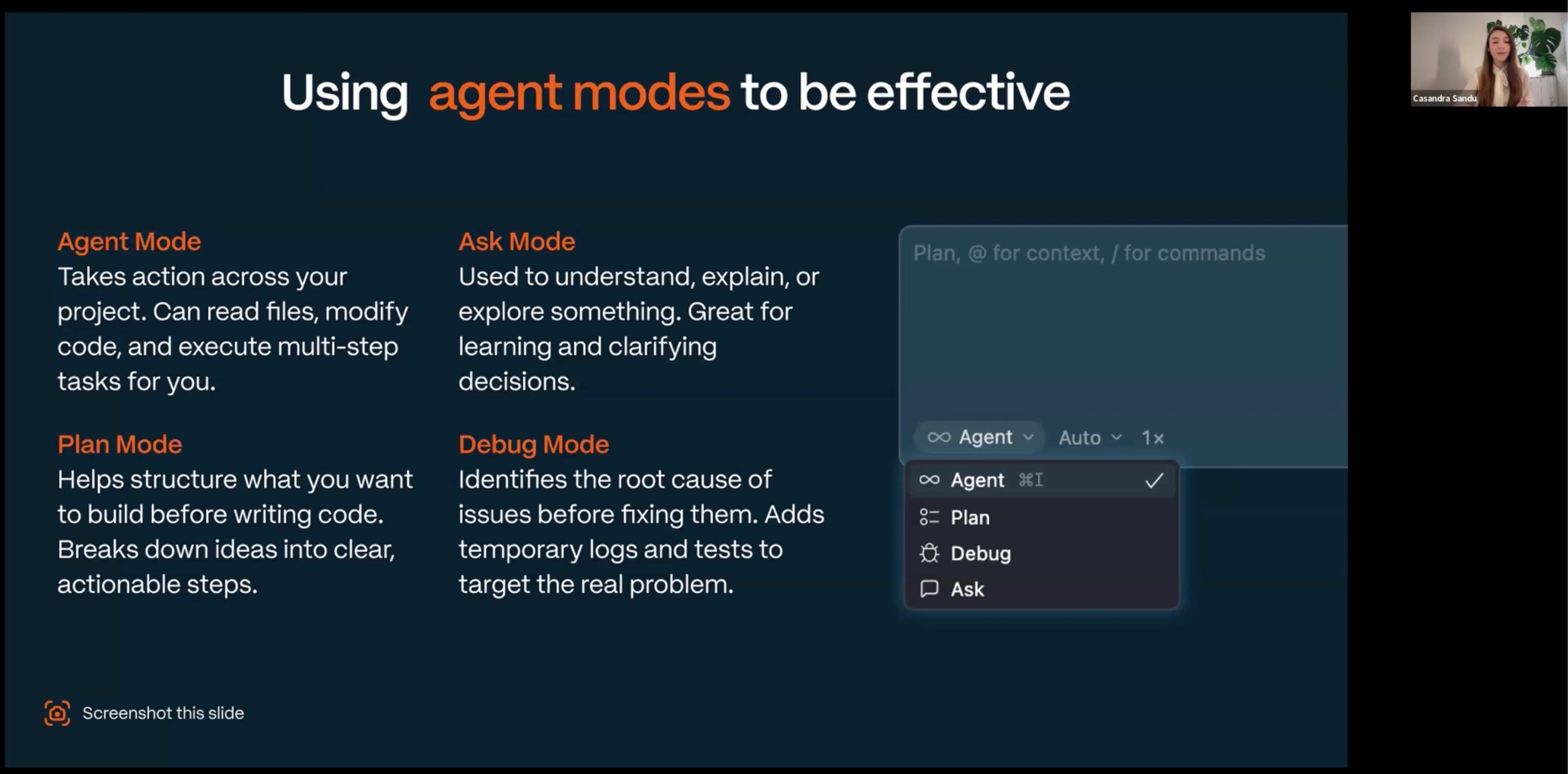
Casandra walked through Cursor's mode system. The framing made it click for me.
Plan mode: think before doing. Helps you structure ideas and break them into clear steps before writing any code.
Agent mode: do-it-for-me mode. Reads files, modifies code, executes tasks across the project. Use when you already know what you want.
Ask mode: learning and exploration. Use when you want to understand something, get explanations, validate a decision.
Debug mode: identifies root causes instead of jumping to fixes. Adds temporary logs to gather evidence first.
Casandra's example from the hackathon was telling. Her starting prompt to Plan mode was almost embarrassingly simple: "I want to build a simple prototype for a Figma plugin that can swap libraries of components." Plan mode asked her clarifying questions, she answered, and Cursor produced a structured plan she could review and edit before any code got written.
Her recommendation: use Plan mode early to spend cheap tokens on questions. Save the expensive tokens for Agent mode when you actually know what you are building.
When the team hit a bug they could not diagnose (some components in a dropdown were displaying their properties instead of the component name), Casandra switched to Debug mode and only provided a single screenshot. Debug mode generated hypotheses, added temporary logs and narrowed down the root cause without burning tokens on trial-and-error fixes.
Vibe debugging: what happens when things break
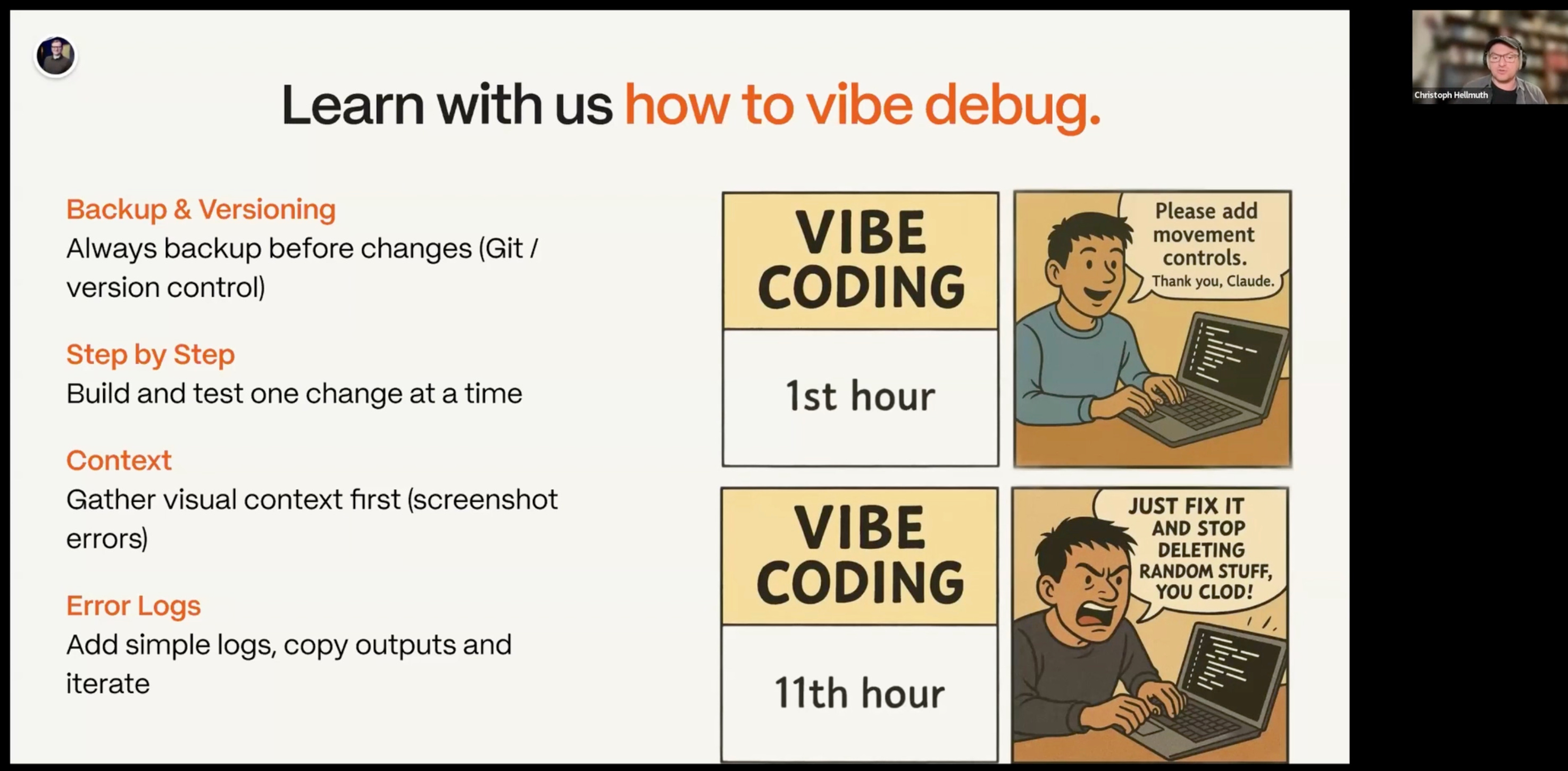
Christoph took the next part of the talk and opened with a description any vibe coder will recognise:
"In the first hour you are polite, everything is going well, you talk to the AI, say please and thank you. Then first bugs get introduced and 10 hours later you are still working on the same feature, in the loop, telling the AI please fix it, it introduces a new bug, you tell it please fix that, and after 10 hours you are really, really frustrated and getting rude with the AI."
His countermove is what he called vibe debugging. Four rules:
Commit working code before every change. If something breaks catastrophically, you can roll back to a safe point in seconds.
Go step by step. Build one feature, test it, commit. Do not stack five features on top of an unverified change.
Give the AI more context, not more prompts. A screenshot, the actual error message, console logs. Each piece reduces the AI's guessing budget.
Ask for debug logs. Have the AI add temporary logging, then copy the output back to it. This is the single highest-leverage move when stuck.
Christoph's point that landed for me: identifying the bug is 80% of the work. Designers are already good at the first 80%. The AI can do the fix if you hand it the diagnosis.
What an AI skill actually is, and why it is more than a prompt
Christoph's section on skills was the most useful theoretical part of the session.
He defined a skill as three components:
Trigger: when should this skill execute?
Instruction: what should it do, step by step?
Tools: code snippets the AI can run instead of generating fresh ones every time.
What he stressed: a skill is not just a saved prompt. It is a structured, repeatable capability that turns a generalist agent into a subject matter expert in one area.
Skills are modular. They can be stacked like Legos. Christoph used the example of combining an accessibility skill with a web design skill to get an agent that handles both in one prompt. They are also plug and play. If you write a good skill, you can hand the markdown file to a coworker or the community and they get the same capability.
How to install one: most skills are a markdown or text file. You download the file, find the skills directory for whatever IDE you use (Cursor, Claude Code, Codex) and drop the file in. Call the skill with /skill-name and the agent has it loaded.
He also added a security warning that more people should hear. Skills are powerful, and a malicious skill could include prompt injection, leak API keys or modify your Git history. Before installing any skill, read it once by hand. For extra safety, paste the markdown into Claude or another AI and ask for a security review. Two minutes of caution beats two days of cleaning up a compromised repo.
His trust hierarchy: skills from Anthropic and well-known sources are safer than random ones from social media. Trust, but verify.
The free Figma Plugin Developer Skill they shipped after the hackathon
After the hackathon, Christoph refined a Figma Plugin Developer Skill that gives the AI everything it needs to build a Figma plugin correctly from the first prompt. It includes the plugin architecture best practices, clear references for the Figma API, manifest JSON structure and performance optimizations.
The effect: instead of the AI constantly context-switching, re-querying the Figma API and burning tokens, the skill loads once and the AI knows the patterns from the start. Every prompt about your plugin is more accurate and cheaper.
It is free on Christoph's GitHub. If you are even thinking about building a Figma plugin, installing this skill is the highest-leverage first step you can take.
And yes, read it through once before installing. Christoph stands behind it, but the rule still applies.
The refactor nobody talks about
After 48 hours the team had a working prototype. They also had 4,000 lines of HTML and JavaScript in a single file that only the AI could understand.
This is the part of vibe coding that does not show up in demos. They knew they could not release the plugin in that state. Any new feature would risk breaking everything, and they could not debug it confidently. So after the hackathon they took time to refactor.
The refactor itself was also done with AI. Using the Figma Plugin skill and best practices, they untangled the single-file mess into a proper file structure with clean architecture. Same plugin, dramatically more maintainable, much easier to add features without breaking the rest.
The lesson: a working prototype is not a finished product. Vibe coding gets you to the prototype fast. The refactor is where you pay back the debt the speed created.
Vibe marketing: the landing page in under an hour
Once the plugin worked, the team wanted to launch it properly. So they built a landing page with Lovable in under an hour.
The trick Christoph shared: they did not start from scratch. They took the existing CSS and HTML from the plugin UI and fed it to Lovable as a style guide. Lovable used the plugin's visual language as a brand book and generated a coherent landing page in the same style. About ten prompts later, they had a published page.
Two extras Lovable offered that the team used: an email signup form and an optional database backend through Supabase. Both worked from a few prompts.
The principle: once you have built a UI, you already own a small brand system. Reuse it everywhere. Landing pages, slides, marketing material.
Publishing to the Figma Community
Christoph closed with the publishing step that designers often skip. When you publish a plugin in Figma, you get one shot to set up discoverability. Pick the right category. Add real keywords. Fill in the data security section, because enterprise customers will not be able to install your plugin without that information.
If you are shipping a plugin to the Figma Community, treat the publishing form as part of the product, not paperwork at the end.
The line that summed up the whole session
If you take only one thing from this session, take this from Raquel:
"Every minute you spend planning before prompting will save you an hour of debugging."
The team's win was not about being better at AI. It was about being disciplined with the cheap part of the work (planning, scoping, research) so that the expensive part (token usage, debugging loops, refactoring) stayed manageable.
What I'm taking back to my own work
A few things from this session I am applying immediately. These are my own takeaways, not Raquel's, Casandra's or Christoph's:
Spend the first 10% of any AI build budget on scoping. The must-have, nice-to-have, out-of-scope frame is portable to any project.
Use Plan mode first. It is the cheapest place to discover what you do not know.
Commit before every meaningful change. Vibe coding without rollback is a slow-motion crash.
Always provide a screenshot or log when reporting a bug to AI. "Identifying the bug is 80% of the work" reframes my whole debugging mindset.
Install Christoph's Figma Plugin skill before starting any plugin.
Read every skill before installing it. Then ask another AI to review it for safety.
When you have a working UI, reuse the CSS as a brand book for landing pages, slides and marketing material.
Checkout the full session:
A few other sessions that pair well with this one:
→ How Miro Onboarded AI Into Their Design System with MCP and Claude Code skills: Andressa Lombardo and Eddie Machado (Miro) on building MCP infrastructure for design system AI
→ Machine-Readable Design Systems for MCP and LLMs: Diana Wolosin (Indeed) on structuring docs for AI agents
→ Building Real Design Systems with Agents: Jan Six (GitHub) on Copilot building design systems
→ AI Without the Chaos: Brad Frost, Ian Frost and TJ Pitre on bringing context to AI workflows
📐 Learn AI workflows from WhatsApp, Atlassian and top designers
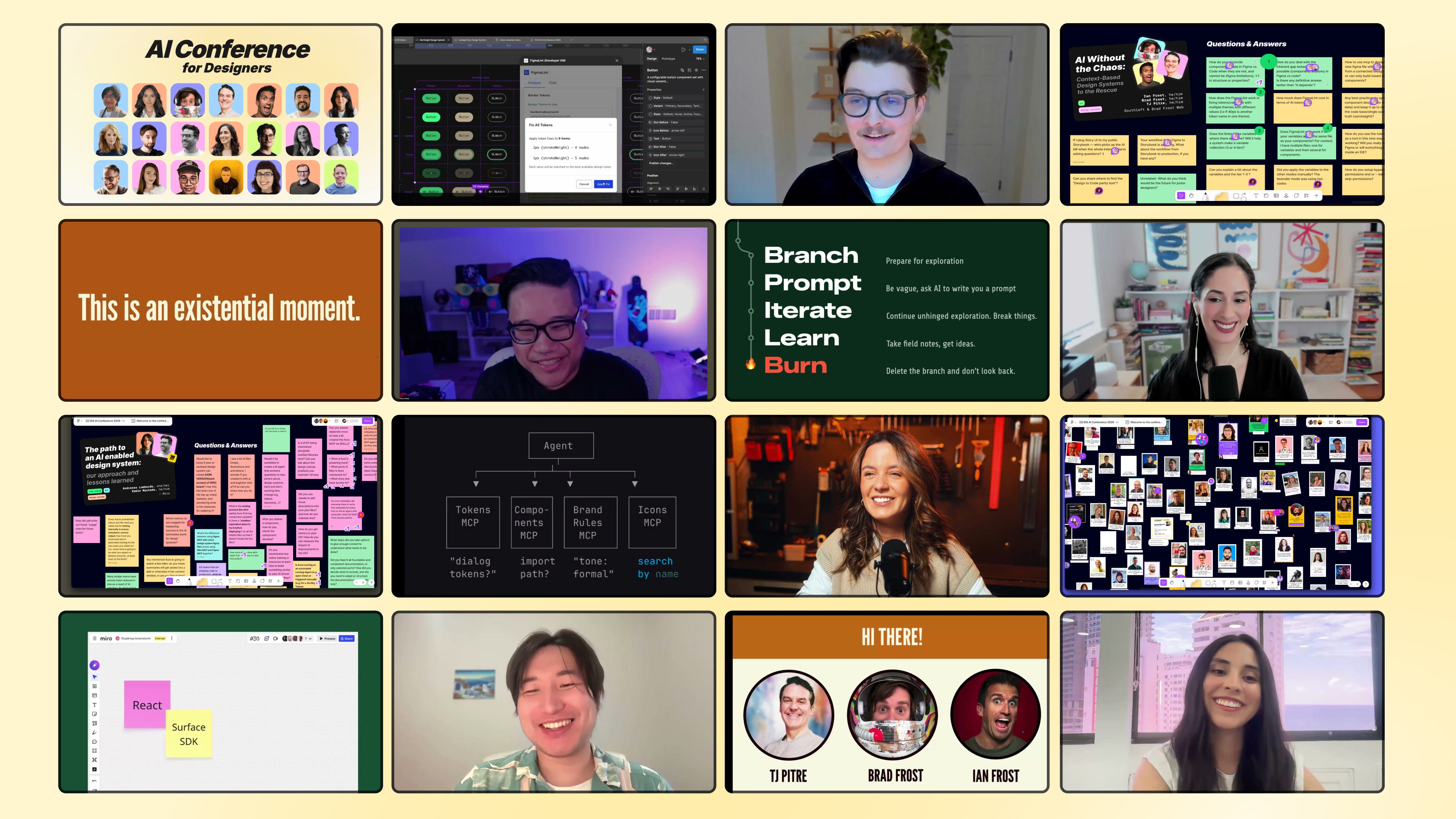
✅ 18 sessions, 18+ hours, lifetime access
✅ FigJam board with all Q&A and resources
✅ Certificate to prove your AI skills as a designer
👉 Get the Recordings Pass
See you inside,
Sil
 | A guest post by
|
Hi,
Love your content on LLMs! I'm Sia from Novita AI—we help developers access and deploy LLMs instantly, without the hassle of managing infrastructure themselves.
We're currently building our creator network through an affiliate program. Your followers are exactly the kind of developers and builders who benefit from our service, and I think this could be a valuable opportunity for you.
Happy to share details if you're interested.
Best,
Sia